terminalcat
A web terminal you run on your own box. Closing the browser doesn’t kill your processes. Use it from a phone during travel; resume from the laptop when you land. Auth-gated by Cloudflare Access at the edge — no public ports.
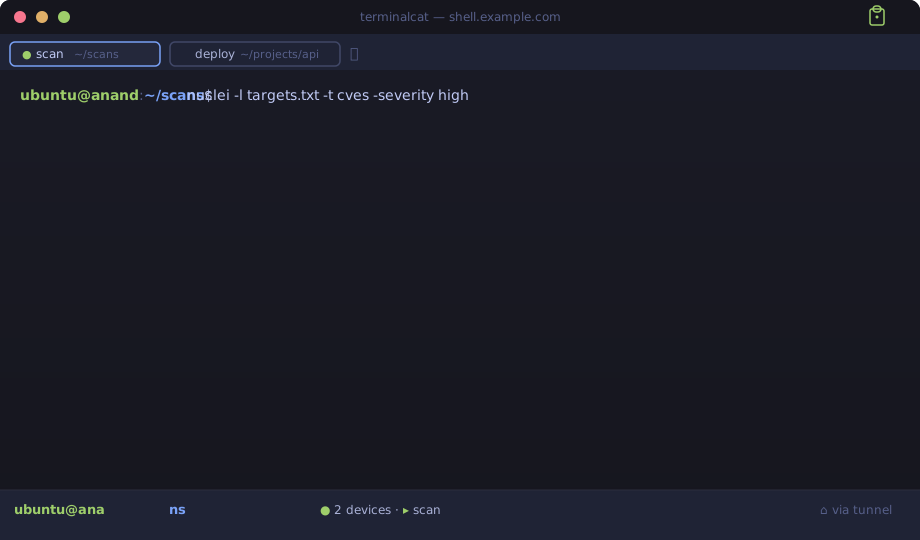
Why this exists
Existing options had problems for the workflow I actually wanted (long-running scans + drafts that survive a closed laptop):
| terminalcat | code-server | gotty / wetty / ttyd | |
|---|---|---|---|
| Closing browser → process keeps running | ✅ (tmux owns it) | ❌ (kills bash on disconnect) | ⚠️ no built-in tmux integration |
| Multi-session tabs | ✅ | ❌ (single shell) | ❌ |
| Mobile-friendly (helper bar, sticky modifiers, pinch-zoom font) | ✅ | ⚠️ minimal | ❌ |
| File upload + download (web ↔ box) | ✅ (drag-drop + webdl CLI) |
⚠️ via VS Code only | ❌ |
| Cloudflare Access JWT verified at origin | ✅ | ⚠️ via reverse proxy | ⚠️ via reverse proxy |
| PWA-installable (Add to Home Screen) | ✅ | ✅ | ❌ |
If you need IDE features, multi-user partitioning, collaboration, or commercial support — try something else. Single-tenant by design.
Architecture at a glance
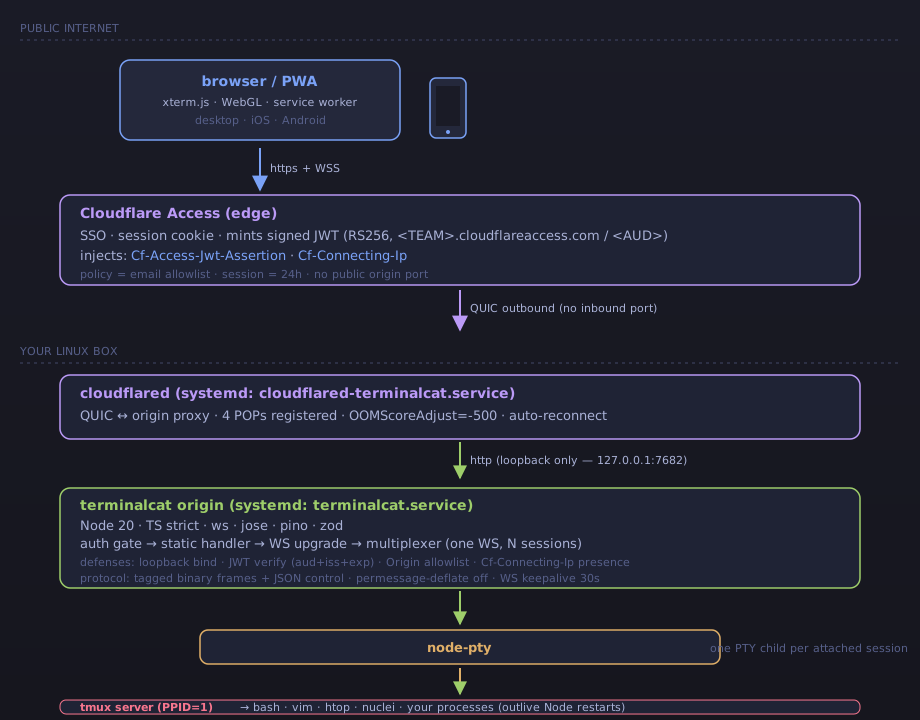
A request flows top-to-bottom: browser → Cloudflare Access (SSO + JWT mint) → cloudflared QUIC tunnel → loopback origin → node-pty → tmux. Detailed walkthrough in Architecture.
Performance
Reference build (Node 20.20.2, aarch64 Debian 12, single loopback origin behind Cloudflare Access):
Cold start (systemctl start → port listening) |
~580 ms |
| WS connect → first server message | 2 ms warm, ~14 ms cold |
| Keystroke round-trip (stdin → bash echo via PTY+tmux+bash) | median 0.8 ms · p95 1.1 ms |
| Stdout throughput (TTY+tmux limited, not Node) | ~1.2 MB/s |
| Resize control → PTY reflects new size | median 2.9 ms |
| Idle RSS / threads / FDs | 53 MB / 11 / 25 |
| Survived in-house WS fuzz | ~100 hostile frames, no crash |
Status
Personal project shared in case it’s useful. PRs welcome, issues read as time permits, no support SLA. Read the Security page before deploying to anything you care about.
License
MIT.